 puzzlerzone
What Routes is
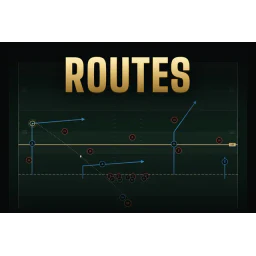
Routes is a chalkboard-style football puzzle from The Cut. Before the snap you read the defense and draw paths for your receivers by pressing a player and dragging to chart his route. You can send a receiver in motion, snap the ball, then press and hold a target to throw; routes persist so you can keep adjusting them during the play. The Daily puzzle gives everyone the same defense and one try to score a touchdown, with results recorded on a shared board. Season mode adds weekly challenges that get tougher, 1v1 mode pits you against an opponent using the same defense, and Lab mode lets you tune ratings and defensive calls. It is free to play with no signup.
How to play
Open the playbook and choose a play; any receiver without a drawn route will follow his grey default route. Press a player and drag to lay down a path, or use Motion to shift a receiver before the snap. When the formation looks right, snap the ball. Because routes persist, you can continue changing them while the play develops. To throw, press and hold the intended receiver and release; the longer you hold, the harder the pass, but the more pocket time you use. Check the receiver colors before passing: green means throw, amber means short of the sticks, grey means covered, red means no lane. In practice, lock the defensive call to see the same look repeatedly, and pause to step one frame at a time.
Tips
- Throw to where the receiver is about to be, not where he is at the moment; defenders are closing on the same target.
- Watch whether a defender follows your motion receiver across the field. If he does, expect man coverage; if the defense slides, expect a zone.
- Use the color indicators before committing: green is open, amber is short of the sticks, grey is covered, and red means no passing lane.
- In Season mode, efficiency earns up to three stars per week; stars pay credits you can spend on packs for better players.
Common questions
How does the Daily puzzle work?
A new Daily puzzle appears once per day and everyone sees the same defensive setup. You get one try on that board, and your result is recorded on the public Daily board.
What do the receiver colors mean?
Receiver indicators are color-coded: green means a clear window to throw into, amber means the route is short of the sticks, grey means the receiver is covered, and red means there is no passing lane.
What is Season mode?
Season mode is a weekly ladder. Score a touchdown to beat the current week and move to tougher weeks, with up to three stars per week based on efficiency. Stars pay credits used for player packs.
Can I test against a specific defense?
Yes. Lab mode lets you adjust ratings and defensive calls, and you can lock the defensive call to practice the same look repeatedly. There is also a 1v1 mode where both players get the same defense and compete for the fewest plays to a touchdown.