 puzzlerzone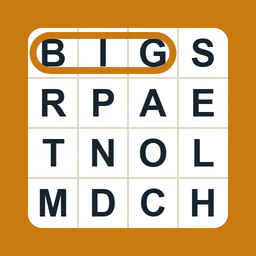
What Big Print Games Word Search is
Big Print Games Word Search is a browser-based word hunt where the goal is to find every listed word hidden in a letter grid. Each puzzle includes a short thematic scene description, and the words you are looking for are displayed nearby. Words may run left-to-right, right-to-left, downward, or along any diagonal, so a full scan of the grid is part of the challenge. When you select a word, it remains highlighted, which helps you keep track of what still needs to be found. The collection contains 402 puzzles spread across six themes: Home & Comfort, Hobbies, Outdoors & Nature, Seasonal, Nostalgia, and Travel. Regular puzzles use a 12 × 12 grid with 12 hidden words, while the Gentle variant offers 8 shorter words for a more relaxed solve. The large, well-spaced letters and clean layout make the puzzles easy to read on phones, tablets, computers, or paper. You can play directly in your browser or print any puzzle onto a single page, with the word list beside the grid, for pencil solving. A new featured puzzle appears each day, and earlier puzzles never expire, so the full archive stays open. Access is free and no account is needed.
How to play
To solve, first look over the word list, then scan the letter grid for those words. When you spot one, select it by pressing and dragging across the letters with a mouse or finger. If you prefer a keyboard, you can use the arrow keys to move a cursor and press Enter to start and finish a selection. The letters can be enlarged with the A, A+, and A++ controls for better visibility, especially on smaller screens. You can also print any puzzle to a single page and work through it with a pencil. Puzzles can be opened by theme, or you can start with the daily featured puzzle. Continue selecting words until every listed word is highlighted and the puzzle is complete.
Tips
- If you want a shorter, more relaxed session, choose the Gentle puzzle variant, which contains 8 shorter words instead of the usual 12.
- When playing on a phone or small screen, use the A+ or A++ controls to enlarge the letters so the grid stays easy to read.
- Words can run left-to-right, right-to-left, downward, or along any diagonal, so check those paths before moving to the next puzzle.
- For a traditional puzzle experience, print the page and solve on paper; every puzzle prints on a single page with the word list beside the grid.
Common questions
How many hidden words are in each puzzle?
Regular puzzles have 12 hidden words on a 12 × 12 grid, while the Gentle variant has 8 shorter words. The word list is shown beside the grid, and you are done when every word has been located and highlighted.
Do puzzles disappear after their featured day?
No. Every puzzle stays available after it appears, including earlier daily puzzles. You can browse by theme or return to a past puzzle at any time without worrying about it expiring.
Can I print these puzzles to solve on paper?
Yes. Any puzzle can be printed onto a single clear page with the word list beside the grid, making it easy to solve away from the screen with a pencil.
Is an account or payment required?
No. The puzzle is always free and requires no account. You can play directly in the browser or print a page and solve it with pencil.